

Protecting Creative Rights: Understanding Image Licensing for Safe Website Content
One of our clients was approached by a company representing the image rights for an image he was using on his website. He had used this image in his website content for over a decade, without problem. As it happens, his original web developer had used it on his website. This prompted us to write this article, to help website owners understand the use of images published on websites.
Using images to enhance website content is commonplace, but it’s essential to ensure that you’re respecting the rights of the image creators. Using images without proper licensing or acknowledgment can lead to fines, takedown notices, and reputational damage. This article will explore the importance of image licensing, the types of licenses available, ways to verify image restrictions, sources for license-free images, and steps to take if you are confronted with a fine for unlicensed use.
Understanding Image Licenses
An image license is a legal agreement between the image creator and anyone who wants to use the image. Licensing defines how an image can be used, what attribution is required, and whether the image can be modified or used for commercial purposes. The types of licenses determine what is permitted and protect the image creator’s rights to ensure fair use of their work.
Licenses help balance the rights of creators with the needs of content creators, website owners, and the public. Without a license, using an image could be considered copyright infringement, potentially leading to legal and financial penalties.
Types of Image Licenses
There are several common types of image licenses, each with specific rights and restrictions. Here’s an overview of the most prevalent types:
- Creative Commons (CC) Licenses: Creative Commons offers various licenses that allow creators to share their work with different levels of permissions. Some allow unrestricted use, while others have conditions:
- CC0: No rights reserved. The image is in the public domain, so you can use, modify, and share it without attribution.
- CC BY: Requires attribution to the original creator but allows modification and commercial use.
- CC BY-SA: Similar to CC BY but requires derivative works to be shared under the same license.
- CC BY-ND: Allows for use with attribution but does not permit modification.
- CC BY-NC: Allows modification and use with attribution, but only for non-commercial purposes.
- CC BY-NC-SA and CC BY-NC-ND: Non-commercial use only, with additional restrictions on sharing modifications.
- Royalty-Free (RF) Licenses: Often misunderstood, royalty-free doesn’t mean “free.” It means you pay a one-time fee to use the image multiple times without additional payments. RF images can be used commercially and usually don’t require attribution.
- Rights-Managed (RM) Licenses: Rights-managed images are licensed for specific uses, with fees based on factors like the image’s usage duration, geography, and exclusivity. These images often come with restrictions and require explicit permission for each new use.
- Public Domain: Images in the public domain are free for use without any restrictions. This includes images whose copyrights have expired or works explicitly released into the public domain by the creator.
Checking an Image’s Licensing Terms
It’s crucial to check the licensing terms of any image before using it. Here’s how:
- Look for Licensing Information: Many websites, like Wikimedia Commons, Flickr, or Creative Commons itself, clearly indicate the type of license next to the image.
- Read the Fine Print: Some platforms may have specific requirements for how an image can be used, even under CC licenses. Review the “terms of use” sections for each website to make sure you comply fully.
- Check Metadata: Image metadata sometimes includes licensing information. Be cautious, though, as metadata can be removed or altered.
- Use Trusted Sources: Avoid unverified sources or random images found on search engines. Many images available online may not have the correct license information attached, putting you at risk of copyright infringement.
Where to Find License-Free or Licensed Images
Using reputable sources for licensed images is a smart way to avoid complications. Here are some trusted platforms for finding images with clear licensing:
- Unsplash: Offers high-quality, royalty-free images with a license that allows for both commercial and non-commercial use. While attribution isn’t required, it’s appreciated.
- Pexels: Provides free images and videos for personal and commercial use with no attribution required.
- Pixabay: Images are free for commercial use, though they may not be sold as stock photos.
- Wikimedia Commons: A massive resource for Creative Commons and public domain images. Check each image’s license, as they vary widely.
- Google Images: When using Google Images, you can filter results by license type under “Usage rights.” However, always double-check the source website for the most accurate license details, as Google doesn’t always get this right.
Using these resources can ensure you’re not unintentionally infringing on anyone’s rights. Remember, even “free” images come with guidelines, so always check each image’s specific terms.
What to Do if You’re Asked to Pay a Fine
Image licence holders are now using sophisticated software to crawl the web looking for websites that use their images. They are then checking these against their register of licence holders, and compiling a legally watertight dossier to recover unpaid licence fees (plus added fees). In most cases, the fee they demand is far greater than any benefit, financial or aesthetic, you would have had from using the image on your website. The cost of unauthorised use of a licenced image could run into hundreds of pounds.
If you receive a demand letter or notice alleging unlicensed use of an image, take these steps:
- Don’t Ignore the Notice: Ignoring the request could lead to escalated legal actions, including higher fines or lawsuits. Respond promptly.
- Verify the Claim: Verify the legitimacy of the claim. Double-check that the image is indeed the one you used and confirm if it has the license or restrictions claimed in the notice. Scams exist in this space, so be wary of fraudulent claims.
- Review Your Usage: Assess if your use fell under fair use or another legal exception. Consult an intellectual property lawyer if needed.
- Negotiate or Settle: Many companies or creators prefer to settle matters amicably. Offer to remove the image or ask if a reduced fee can be paid for retroactive licensing.
- Document Everything: Keep records of the licensing information, communications, and any agreements you reach. This documentation can be valuable if further legal action arises.
Best Practices for Using Images on Your Website
- Always Attribute: When using Creative Commons images or other licensed content, ensure you give proper attribution. The standard format is to include the creator’s name, the title of the work, and a link to the license.
- Use Alternative Sources: Consider using illustrations, stock graphics, or icons that don’t require strict licensing. Custom visuals can also add unique value to your content.
- Double-Check Before Posting: Make it a habit to verify image licenses before publishing content on your site.
- Stay Updated on Licensing Rules: Copyright laws evolve, so regularly reviewing licensing practices and guidelines can help you stay compliant.
The Use of AI-Generated Images
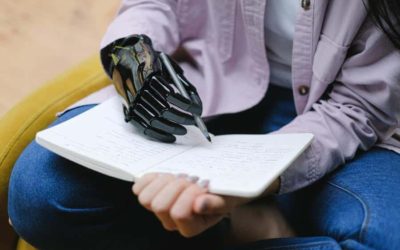
With the rise of artificial intelligence (AI), generating unique images with just a few clicks has become quite easy. AI-generated images can be a great alternative to stock photos, as they can be customized to fit specific content needs, often without the complexities of traditional licensing. However, using AI-generated images also raises important questions about copyright, ownership, and ethical considerations.
How AI-Generated Image Licensing Works
AI-generated images are typically created by models that have been trained on vast datasets of real-world images, often sourced from the internet. This training data may include copyrighted materials, which can complicate the issue of ownership. Here’s what to consider:
- Creator Rights: Some AI platforms grant the user full commercial and personal rights over images generated through their service, while others retain some rights or require attribution.
- Platform-Specific Terms: Each AI image generation platform (like OpenAI’s DALL-E, Midjourney, or Stable Diffusion) has its own terms for image use. Some may allow for unrestricted use, while others may limit commercial use or require attribution.
- Copyright Ambiguities: Currently, AI-generated images exist in a legal gray area. Since AI lacks human authorship, copyright protections may not apply in the traditional sense, depending on the jurisdiction. This ambiguity makes it essential to review the terms of service of the AI tool you’re using.
Key Considerations for Using AI-Generated Images
When using AI-generated images, keep the following in mind:
- Check Licensing from the AI Provider: Many AI platforms, like DALL-E, specify how generated content can be used. Some platforms may require attribution or limit the use of images for commercial purposes.
- Avoid Replicating Real-World Images: AI generators can sometimes create images resembling existing copyrighted work, especially if trained on large datasets of real-world images. Use AI to create unique content rather than attempting to replicate a specific image.
- Respect Ethical Standards: Be mindful of using AI-generated images that may inadvertently replicate sensitive or copyrighted content. Ethical considerations are important, as the datasets used by these models may contain unlicensed material that has been repurposed without the consent of original creators.
Pros and Cons of AI-Generated Images for Website Content
Using AI-generated images offers unique benefits and challenges:
- Pros:
- Customizability: AI tools allow for tailored images that match a specific brand or style.
- Cost-Effective: In many cases, using AI-generated images can be less expensive than purchasing licenses for stock photos.
- Creative Flexibility: AI offers unlimited creative possibilities, allowing website owners to generate visuals that align closely with their content.
- Cons:
- Copyright Uncertainty: With evolving copyright laws, the legal ownership of AI-generated images remains unclear, especially for commercial use.
- Ethical Concerns: The datasets used to train AI may contain copyrighted works, creating potential issues around the ethical use of AI-generated images.
- Licensing Restrictions: Some platforms place specific limitations on how AI-generated images can be used, so understanding each provider’s terms is essential.
Best Practices for Using AI-Generated Images Responsibly
If you choose to use AI-generated images on your website, consider the following best practices:
- Review Platform Terms Thoroughly: Different AI platforms have varying terms of use. Before incorporating AI-generated images into your content, review the platform’s licensing terms to ensure compliance.
- Attribute When Required: Some AI platforms request or require attribution. Be sure to credit the platform or creator according to their specific guidelines.
- Monitor Legal Developments: Copyright laws related to AI are evolving. Staying informed about the latest developments can help you make responsible choices and avoid potential future legal issues.
- Use AI Responsibly: Be mindful of potential ethical considerations, such as inadvertently replicating sensitive or copyrighted images. Strive to use AI for creating genuinely unique content that doesn’t infringe on the work of others.
Conclusion
Respecting image licensing is essential to maintaining ethical and legal standards on your website. By understanding the types of licenses, knowing where to find reliable images, and being prepared in case of legal claims, you can protect yourself and support the creative community. Using licensed images responsibly not only demonstrates respect for creators but also enriches the credibility and professionalism of your content.
AI-generated images offer exciting opportunities for creating unique, customized visuals that enhance website content. However, they come with challenges, including copyright ambiguities, platform-specific licensing terms, and ethical concerns. By staying informed about the terms of use, copyright regulations, and ethical implications, you can responsibly incorporate AI-generated images into your website while respecting the rights of creators and the broader creative community.
Bottom line? You own your website, and are responsible for its content. So, if you’re not 100% sure about an image, don’t use it! If you are using guest authors, external agencies, copywriters or web developers to create your content, make sure to ask them about the images they are using.



0 Comments