WordPress updates can cause changes, such as the disappearance of search engine privacy settings, but it is essential to stay as up-to-date as possible. Running an old WordPress version could have some serious implications.
If you use the BuddyPress WordPress plugin you might have noticed that some random links are automatically generated for text in your profile fields.
These links help visitors search for the same keywords in other profiles, but there doesn’t seem to be a setting to switch this off, or to manage the links so that only useful keywords become links.
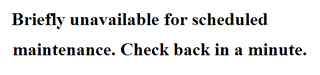
Is WordPress stuck in maintenance mode after an update? Have you just updated a plugin or WordPress version only to find that you cannot access your website again afterwards? This may be caused by a file that WordPress has left behind. Here’s what you need to do to activate your WordPress site after an update…
Do you need some help or work done on your WordPress or other website? We work hard, come highly recommended, and can have your issue resolved very fast.
Just get in touch and we're on the case.
Whatever you need…
Sidebar Form
Do you need some help or work done on your WordPress or other website? We work hard, come highly recommended, and can have your issue resolved very fast.
Just get in touch and we're on the case.
Need WordPress Set-up?
We offer a great value installation service and can have WordPress installed and configured ready for your theme within hours.
New for 2016 - no time or inclination to update your WordPress and plugins yourself? Why not let us do it for you with our WordPress and Plugin updates package
Problems with your hosting?
We offer a special service when it comes to website hosting. In fact, we've got 3 great web hosting packages to select from depending on how much support, protection and performance your website needs.